Hi and

to the forum.
Do you know if everything was working correctly before you purchased it?
Try to connect using the following sequence which typically enables a successful connection:
1) Connect the USB lead.
(Vector controllers use a USB lead fitted with a five pin connector)2) Open the programming software.
3) Select the correct COM port from the dropdown option box
(was showing as COM 16 on your screenshot).
4) Click the “Connect” icon and wait for the timeout error.
5) Then connect the battery power!!
The controller should instantly connect and the relevant parameters should automatically be uploaded and displayed.
If it is unable to connect, power off and then disconnect the 10 pin connector on the controller and see if you are then able to connect by repeating the previous steps.
If you are still unable to connect with the USB programming lead, try plugging in the display back in
(with the 10 pin control harness connector still unplugged) to see if the battery gauge is reading higher than before. You might also see "ERROR 2" with the throttle disconnected.
If the controller will still not connect successfully to either the programming cable or the display unit then I suspect there may be a problem somewhere within the controller or its external wiring.

The
MP4 and
MP5 wheels are identical except for the controllers and there are 2 versions of the BAC-601 displays which only work with the specific controller. Early versions were used for
SP4 & MP4 and later versions were used for MP5, MP Edge and
SP5.
Unfortunately, I don't know how you can tell the difference between the MP4 & MP5 controllers or the BAC-601 displays to confirm that you have the correct version to match your controller.
My original Smart Pie 4 controller had a MP5 sticker on it, but was not compatible with the MP5 Bluetooth dongle.

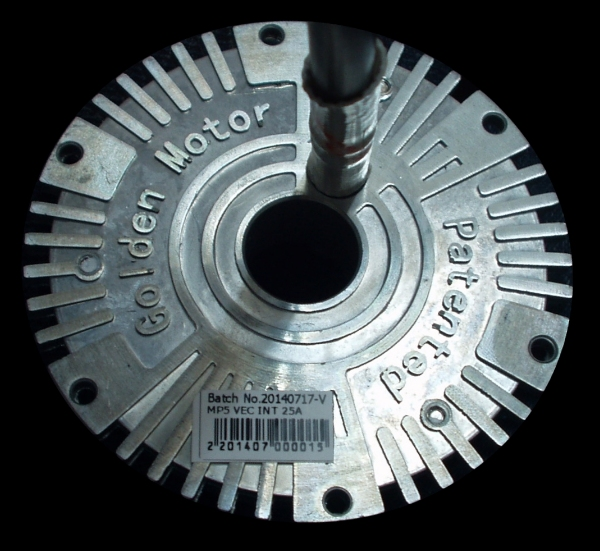
I also have A BAC-601 display on my MP4 but it does not work with my MP5.
I presume you must have a 13S battery
(13S x 4.2V = 54.6V) as a 14S battery would be 58.8V fully charged.
 Alan
Alan 

