

 Recent Posts
11
Magic Pie & Smart Pie Discussions / Re: Magic Pie 5 New Installation, Does Not Work.
« Last post by Bikemad on July 15, 2026, 11:06:36 AM »The Magic Pie 5 will definitely run on a 14S pack without any problem as the maximum voltage is well below 63V. Even the earlier Magic Pie controllers (which were limited to 60V max) would run happily on a 14S battery pack that was charged to 58.8V.
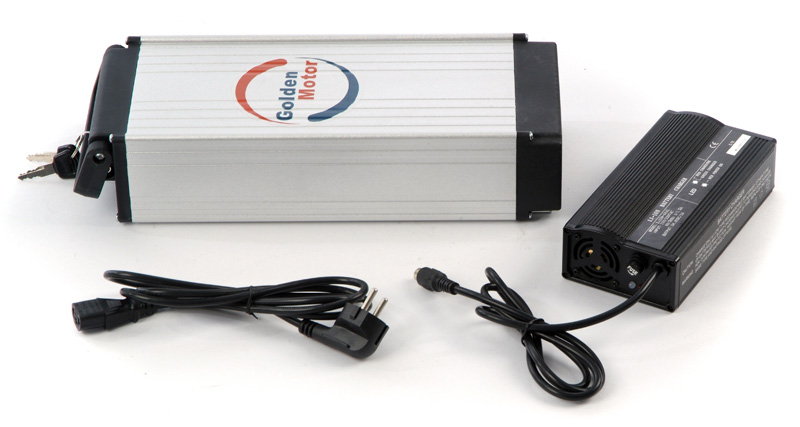
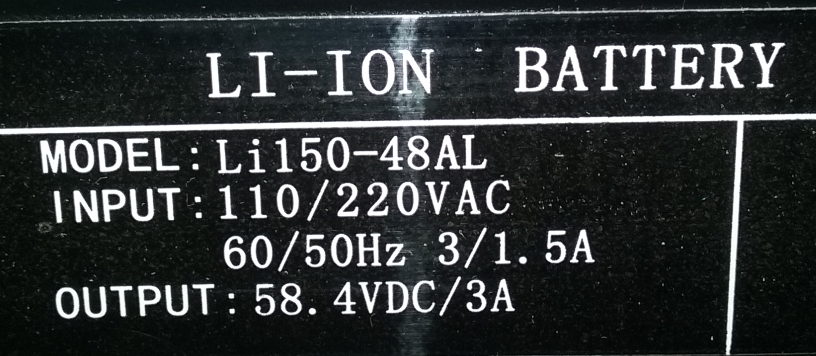
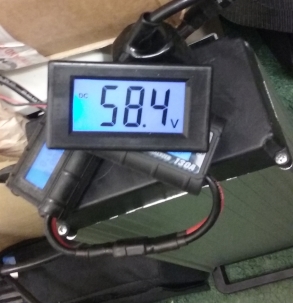
My GM rack mount battery pack contains 16 LiFePO4 cells which are charged to 3.65V per cell (58.4V for the pack) and has been used for testing at least eight different versions of Magic Pies & Smart Pies:
I have run Magic Pies on fully charged 14S LiPo packs for many years without any problems, and back in December 2014 I even ran a Magic Pie 4 on a 15S LiPo pack with a voltage of 62.53V to confirm that it would work, so your 57.7V battery should have worked.
As your MP5 did not even work with a 47.5V battery there must be something wrong with the controller or wiring/throttle etc. as it is should have definitely run on this voltage.
Why would Golden Motor sell 52V batteries (which have exactly the same fully charged voltage as your EGO 56V battery) if the voltage was too high for their controllers?
If your motor kit was in good working order upon arrival (and the controller and wiring etc. has not been damaged during installation) then it should work fine with your EGO56V battery pack.
Alan
My GM rack mount battery pack contains 16 LiFePO4 cells which are charged to 3.65V per cell (58.4V for the pack) and has been used for testing at least eight different versions of Magic Pies & Smart Pies:
I have run Magic Pies on fully charged 14S LiPo packs for many years without any problems, and back in December 2014 I even ran a Magic Pie 4 on a 15S LiPo pack with a voltage of 62.53V to confirm that it would work, so your 57.7V battery should have worked.
As your MP5 did not even work with a 47.5V battery there must be something wrong with the controller or wiring/throttle etc. as it is should have definitely run on this voltage.
Why would Golden Motor sell 52V batteries (which have exactly the same fully charged voltage as your EGO 56V battery) if the voltage was too high for their controllers?
If your motor kit was in good working order upon arrival (and the controller and wiring etc. has not been damaged during installation) then it should work fine with your EGO56V battery pack.
Alan
 I cannot imagine someone failing to make the LED visible without major disassembly, that is very poor engineering!